How-To
How to Choose a Gaming Laptop Deal on Black Friday Without Overpaying
A $400 markdown is meaningless if the starting price was padded. Here is how to read a gaming laptop deal before the Black Friday countdown rushes you.
// KEY TAKEAWAYSWhat to know
- Black Friday 2026 begins on Friday, 27 November, but gaming laptop deals are already live in early November.
- A displayed reference price is a retailer's choice, so judge the sale price against the spec, not the percentage off.
- RAM and storage size decide whether a cheap configuration is a bargain or a trap.
- Open-box and marketplace-seller offers can undercut new stock but carry different risks.
- Rank two or three finalists by GPU tier and total cost, then buy the one that clears your budget.
A laptop listed at $2,299.99 and now $1,015.99 looks like a $1,284 steal. That exact open-box Asus ROG Zephyrus G14 listing at Best Buy was flagged in GamesRadar's early Black Friday roundup, and it shows why a big savings badge tells you little on its own.
Black Friday gaming laptop shopping rewards a method. The sticker discount is set against a reference price the retailer chooses, configurations differ in memory and storage, and some of the lowest prices come from open-box stock or third-party sellers.
This guide walks through six steps: set your GPU tier and budget, lock the minimum specs, test the reference price, weigh the seller, compare finalists on total cost, and time the purchase. Follow them in order and you stop paying for a discount that was never real.
Step 1: Set a GPU tier and a budget ceiling first
Key takeaway - Pick your GPU tier and a hard spending ceiling before browsing, so a savings badge cannot move your budget.
Step 1 is deciding what graphics card you need before a single deal reaches your screen. GPU tier drives price more than any other part, so a ceiling by tier keeps you from drifting upward when a flashy markdown appears. GamesRadar's target ranges put an RTX 5050 at $1,100 to $1,200, an RTX 5060 at $1,400 to $1,600, and an RTX 5070 at $1,700 to $1,900. Use ranges like these as a sanity check, not a rule. A 1080p player on esports titles can stay in the RTX 5050 or RTX 5060 tier, while a 1440p player needs to look at RTX 5070 Ti and above. Write down the tier and the most you will spend, then treat anything above the ceiling as out of scope no matter how large the savings badge looks.
Step 2: Lock the minimum specs that protect you
Key takeaway - Fix a floor of RAM, storage, and refresh rate, and confirm it on the exact listing before comparing prices.
Step 2 is fixing the spec floor that a cheap price cannot override. One deal roundup advises 16GB of DDR5 RAM, a 512GB or larger NVMe SSD, and a display at 144Hz or higher, and tells buyers to avoid DDR4, 8GB configurations, and slow panels regardless of the discount. Storage is the usual trap. The Asus TUF A16 at $1,599.99 ships with only 512GB, which Digital Citizen flags as a likely upgrade for larger game libraries. Soldered memory matters too: the Gigabyte A16 Pro's 32GB of LPDDR5x is onboard, so the size you buy is the size you keep. Confirm RAM, storage, and refresh rate on the exact listing, because the same model name often hides several configurations.
Step 3: Test the reference price, not the percentage
Key takeaway - Compare the same configuration across retailers and anchor on the lowest real price, not the crossed-out number.
Step 3 is checking what the discount is measured against. The Gadgeteer reports an RTX 5070 Ti laptop at $1,599 against a displayed Newegg reference price of $1,999, and calls the saving relative to that listing, not a universal price. Compare that with PC Gamer's list, where the same Newegg MSI Vector 16 HX is called out at $1,649 on its Black Friday deal page. Two retailers, two numbers, one machine. Digital Citizen adds that rising regular prices mean even large advertised discounts may not be the lowest of 2026. Open two or three retailer tabs for the same configuration and anchor on the lowest actual price you can find, not the crossed-out one.
Step 4: Weigh the seller, open-box status, and warranty
Key takeaway - Open-box and marketplace-seller prices can be real bargains, but confirm returns and warranty terms first.
Step 4 is checking who is selling the laptop and in what condition. The Asus ROG Zephyrus G14 at $1,015.99 is an open-box unit, and Digital Citizen notes starting prices of about $1,016 for open-box stock. The Gigabyte A16 Pro at $2,199 runs through a marketplace seller, which The Gadgeteer lists as Snow Bell. Neither is automatically bad, but both change your risk. Open-box means a prior return and a possibly shorter warranty window; a marketplace seller means support runs through that seller rather than the retailer itself. Check the return window, the warranty start date, and who handles a dead pixel or a failed fan before you click buy. A $450 saving shrinks fast if a claim becomes a dispute.
Step 5: Compare two finalists on total cost and fit
Key takeaway - Shortlist two scored models, add upgrade and tax costs, and pick the one that fits your resolution and budget.
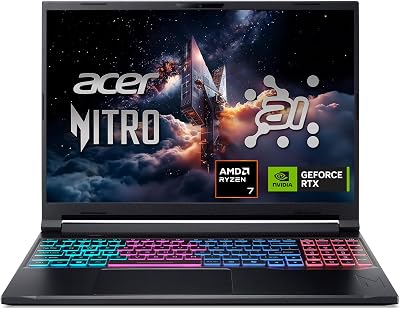
Step 5 is narrowing to two finalists and comparing them on what you actually pay and play. Use the ranked shortlist in our ranking of the best gaming laptops for Black Friday deals to start from scored models instead of a feed of banners, then test each against your Step 1 tier and Step 2 floor. PC Gamer shows the spread plainly: an MSI Cyborg with an RTX 5050 at $899 at Walmart sits in a different class from the RTX 5070 Acer Nitro V 16S AI at $1,549.99. Add tax, any needed storage upgrade, and shipping. Choose the finalist whose GPU fits your resolution, whose RAM and SSD need no immediate fix, and whose total cost stays under the ceiling you set. If two tie, take the one with the cleaner seller and warranty.
Step 6: Time the purchase and know when to wait
Key takeaway - Buy immediately if a deal already meets your spec floor and ceiling; otherwise set an alert and wait for the sale week.
Step 6 is deciding whether to buy now or wait. PC Gamer states Black Friday 2026 begins on Friday, 27 November and runs three days, with deals starting well before. Early prices are real, but a mid-November board is not the final one. The Gadgeteer's early verdict on two ASUS models was to wait, because Black Friday was three weeks out and neither earned a buy at those prices. The rule is simple: if a configuration already meets your spec floor and sits at or below your ceiling, buy it and stop watching; if it sits above, set a price alert and wait for the week of the 27th. Waiting only pays when the current price misses your number.
The takeaway
A good gaming laptop deal passes four checks: the GPU tier fits your resolution, the RAM and storage meet your floor, the reference price holds up across retailers, and the seller and warranty are sound. Skip any one and the discount can turn into an overpayment.
Start from a shortlist rather than a feed of banners. The scored models in our ranking of the best gaming laptops for Black Friday deals already narrow the field, so your job is to match one to your tier, run the reference-price check, and confirm the seller.
Your next step: open the ranking, pick the two models that fit your GPU tier and budget ceiling, and run Steps 3 and 4 on each before Black Friday arrives on 27 November.
our ranking of the best gaming laptops for Black Friday deals
Read the ranking// FREQUENTLY ASKEDQuick answers
- How much should I pay for a gaming laptop on Black Friday?
- Pay by GPU tier. GamesRadar's target ranges put an RTX 5050 laptop at $1,100 to $1,200, an RTX 5060 at $1,400 to $1,600, and an RTX 5070 at $1,700 to $1,900. A price inside your tier's range with 16GB of RAM and a 512GB SSD is a fair deal.
- Is a gaming laptop Black Friday deal actually worth it?
- A Black Friday gaming laptop deal is worth it when the sale price beats the lowest price across several retailers. The Gigabyte Aero X16 shows the gap: one listing shows $75 off at $1,224.99, so the saving is small even though the laptop is solid. Judge the final price, not the badge.
- When does Black Friday 2026 start for gaming laptops?
- Black Friday 2026 officially begins on Friday, 27 November and runs for three days, per PC Gamer. Gaming laptop deals appear earlier, though. Early listings, such as the MSI Vector 16 HX AI at $1,599 on Amazon, are already live in early November, so waiting is only worth it if the price misses your ceiling.
- Is an open-box gaming laptop a safe Black Friday buy?
- An open-box gaming laptop is safe when the return window and warranty are clear. The open-box Asus ROG Zephyrus G14 at Best Buy sits near $1,016, far below its listed price, but it is a returned unit. Check the warranty start date and the return policy before you pay.
- How much RAM and storage does a Black Friday gaming laptop need?
- A Black Friday gaming laptop needs at least 16GB of DDR5 RAM and a 512GB NVMe SSD, with 1TB better for big libraries. The Asus TUF A16 at $1,599.99 ships with only 512GB, so a buyer with a large Steam library should price in an extra drive or choose a 1TB model.
- Are marketplace seller gaming laptop deals risky?
- Marketplace seller deals carry more risk than retailer-fulfilled deals because support runs through the seller. The Gigabyte A16 Pro RTX 5080 at $2,199 on Amazon is sold by a third party, per The Gadgeteer. Confirm the return policy and shipping source before paying, since the price gap can vanish in a dispute.
- Should I buy a gaming laptop now or wait for Black Friday week?
- Buy now if the configuration already meets your spec floor and budget ceiling; wait if it does not. The Gadgeteer told buyers to hold off on two ASUS models because Black Friday was three weeks out and prices did not earn a buy. Set a price alert on any laptop you are watching.