Best Computer Monitors: 5 Picks Scored & Ranked

Ranked by our composite score across its measured dimensions

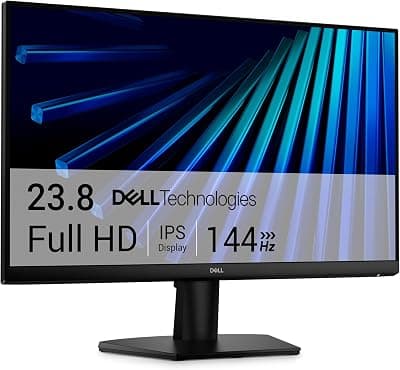
  1. Dell SE2426H

    Dell SE2426H

    Best Overall

    Check current price on AmazonBuy on Amazon
  2. LG 27GL83A-B UltraGear

    LG 27GL83A-B UltraGear

    LG

    Check current price on AmazonBuy on Amazon
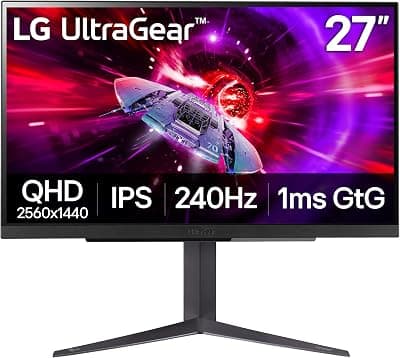
  3. LG UltraGear 27GR83Q-B

    LG UltraGear 27GR83Q-B

    LG

    Check current price on AmazonBuy on Amazon
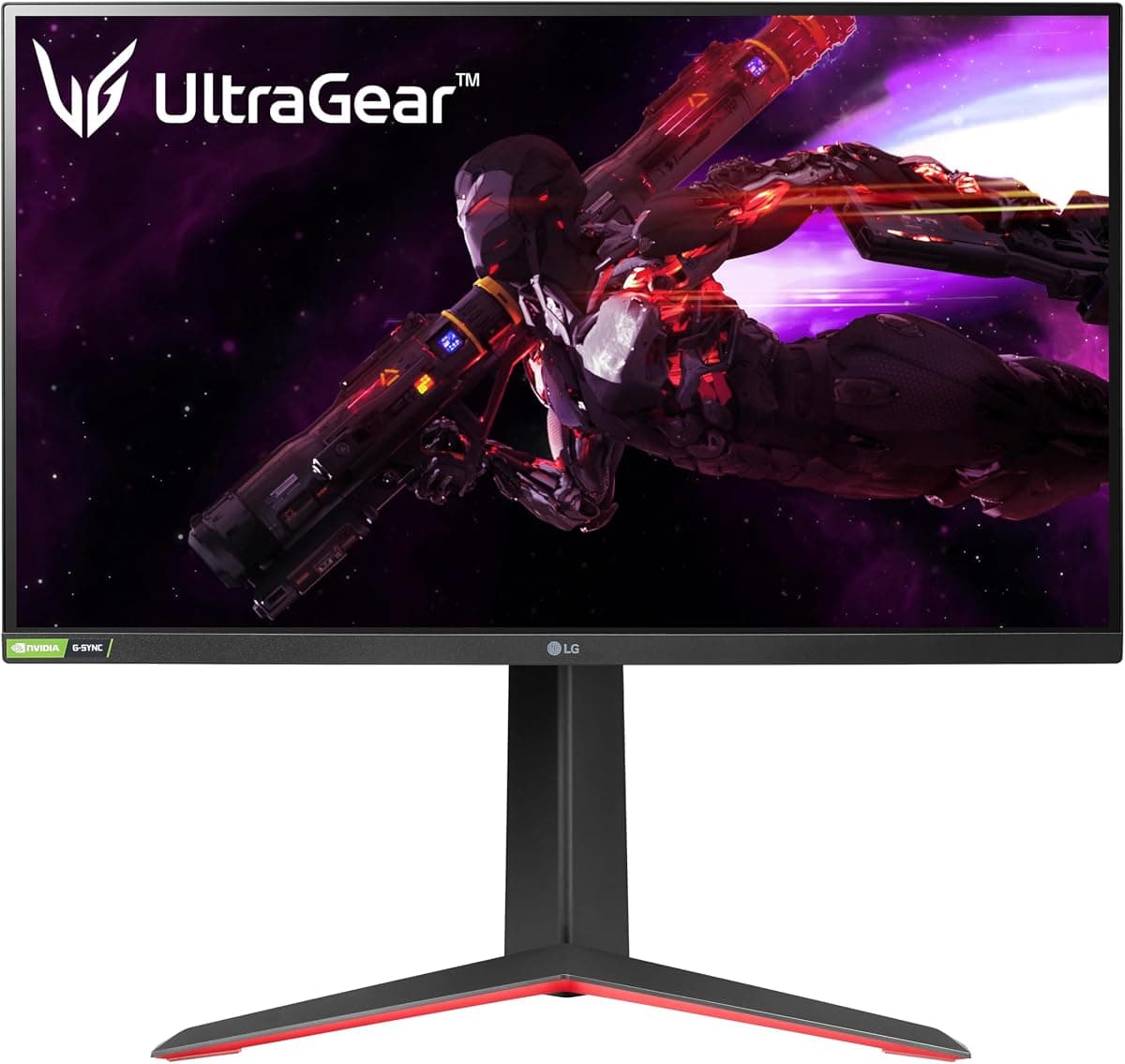
  4. LG 27GP850-B UltraGear

    LG 27GP850-B UltraGear

    LG

    Check current price on AmazonBuy on Amazon
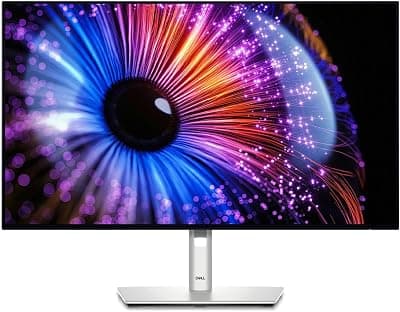
  5. Dell UltraSharp U2724DE

    Dell UltraSharp U2724DE

    Dell

    Check current price on AmazonBuy on Amazon

The picks in detail

Five computer monitors ranked algorithmically across demand, trust, value, quality, and durability. From budget displays to premium productivity screens.

Dell SE2426HBest Overall

No. 1 · Top pick

Dell SE2426H

Dell

Check current price on AmazonBuy on Amazon

Why it ranked

This monitor delivers straightforward 24-inch Full HD performance at an accessible price, meeting the needs of budget-conscious buyers seeking a reliable display for general productivity without advanced features. It is rated 4.7 out of 5 from 764 ratings on Amazon, as of October 31, 2026.

Strengths

  • Affordable entry point for basic computing tasks and secondary displays
  • 100Hz refresh rate improves everyday smoothness over standard 60Hz panels
  • Slim three-sided bezels and VESA mount compatibility for flexible desk setups
  • Includes both HDMI and VGA inputs for modern and legacy device support

Trade-offs

  • Stand lacks height and swivel adjustments, limiting ergonomic positioning
  • Standard color gamut unsuitable for professional color-critical work
  • Basic on-screen display controls compared to higher-tier models
LG 27GL83A-B UltraGear

No. 2

LG 27GL83A-B UltraGear

LG

Check current price on AmazonBuy on Amazon

Why it ranked

This monitor balances high-refresh gaming and color accuracy in a mid-range package, appealing to users who want versatile performance for both gaming and productivity workflows. It is rated 4.6 out of 5 from 12,533 ratings on Amazon, as of November 6, 2026.

Strengths

  • 1440p IPS panel balances sharp image quality with wide viewing angles
  • 144Hz refresh rate and 1ms response time suit smooth gaming performance
  • FreeSync and G-Sync compatibility eliminate screen tearing across GPU brands
  • Fully adjustable stand with tilt, height, and pivot for ergonomic positioning

Trade-offs

  • HDR10 support limited by lack of local dimming zones
  • IPS glow and backlight bleed present within typical ranges for the technology
  • 27-inch size may feel large on smaller desks with limited depth
LG UltraGear 27GR83Q-B

No. 3

LG UltraGear 27GR83Q-B

LG

Check current price on AmazonBuy on Amazon

Why it ranked

This monitor targets serious gamers who need maximum refresh rate performance at 1440p, prioritizing ultra-low input lag and smooth motion for fast-twitch competitive play. It is rated 4.3 out of 5 from 797 ratings on Amazon, as of November 8, 2026.

Strengths

  • 240Hz refresh rate delivers ultra-smooth motion for competitive esports gaming
  • 1ms response time keeps pixel transitions sharp during fast camera movements
  • Full ergonomic stand with height, tilt, swivel, and pivot adjustments
  • Black stabilizer feature brightens dark scenes without washing out the image

Trade-offs

  • HDMI 2.0 ports cannot reach 240Hz, requiring DisplayPort for full refresh rate
  • DisplayHDR 400 certification offers modest contrast without local dimming
  • 240Hz ceiling may exceed frame rate capabilities of mid-range graphics cards
LG 27GP850-B UltraGear

No. 4

LG 27GP850-B UltraGear

LG

Check current price on AmazonBuy on Amazon

Why it ranked

Scored across demand, trust, value, and quality, this monitor combines wide color gamut coverage with high-refresh gaming performance and strong build quality for versatile use. It is rated 4.5 out of 5 from 1,966 ratings on Amazon, as of November 11, 2026.

Strengths

  • Nano IPS panel delivers 98 percent DCI-P3 color gamut for accurate color work
  • 165Hz refresh rate and 1ms response time provide smooth competitive gaming
  • Excellent panel uniformity with minimal backlight bleed across the display
  • Intuitive joystick control for on-screen display adjustments

Trade-offs

  • HDR performance constrained by absence of local dimming technology
  • USB hub limited to basic peripheral connectivity without power delivery
  • Premium features push price higher than basic 1440p gaming monitors
Dell UltraSharp U2724DE

No. 5

Dell UltraSharp U2724DE

Dell

Check current price on AmazonBuy on Amazon

Why it ranked

This monitor prioritizes productivity features, color accuracy, and robust connectivity for professionals managing multi-device workflows and requiring all-day ergonomic comfort. It is rated 4.3 out of 5 from 48 ratings on Amazon, as of November 4, 2026.

Strengths

  • IPS Black panel delivers 2000:1 contrast ratio for improved readability and deeper blacks
  • USB-C port with 90W power delivery simplifies single-cable laptop connectivity
  • Built-in KVM switch allows control of two computers with one keyboard and mouse
  • 99 percent sRGB and 95 percent DCI-P3 coverage suit color-accurate professional work

Trade-offs

  • 120Hz refresh rate lower than dedicated gaming monitors in this ranking
  • Premium pricing reflects extensive connectivity and business-grade build quality
  • Auto-brightness sensor may require adjustment in mixed lighting environments

Compare all 5 picks

Fact
Dell SE2426H
No. 1Dell SE2426HBest OverallBuy on Amazon
LG 27GL83A-B UltraGear
No. 2LG 27GL83A-B UltraGearBuy on Amazon
LG UltraGear 27GR83Q-B
No. 3LG UltraGear 27GR83Q-BBuy on Amazon
LG 27GP850-B UltraGear
No. 4LG 27GP850-B UltraGearBuy on Amazon
Dell UltraSharp U2724DE
No. 5Dell UltraSharp U2724DEBuy on Amazon
PriceCheck current price on AmazonCheck current price on AmazonCheck current price on AmazonCheck current price on AmazonCheck current price on Amazon
Standout strengthAffordable entry point for basic computing tasks and secondary displays1440p IPS panel balances sharp image quality with wide viewing angles240Hz refresh rate delivers ultra-smooth motion for competitive esports gamingNano IPS panel delivers 98 percent DCI-P3 color gamut for accurate color workIPS Black panel delivers 2000:1 contrast ratio for improved readability and deeper blacks
Main trade-offStand lacks height and swivel adjustments, limiting ergonomic positioningHDR10 support limited by lack of local dimming zonesHDMI 2.0 ports cannot reach 240Hz, requiring DisplayPort for full refresh rateHDR performance constrained by absence of local dimming technology120Hz refresh rate lower than dedicated gaming monitors in this ranking
//The Method

How we rank products

At theRANKS, we research and compare products to find the best options in each category.

  1. 01
    Demand

    The retailer sales rank; review velocity over the last three months. Measured on 5 of 5 picks on this page.

  2. 02
    Trust

    The 1-5 rating distribution; negative-review share; polarisation (the J-curve). Measured on 5 of 5 picks on this page.

  3. 03
    Value

    Measured on 5 of 5 picks on this page. The inputs recorded are not yet named here.

  4. 04
    Quality

    The 1-5 rating distribution. Measured on 5 of 5 picks on this page.

  5. 05
    Durability

    Not measured on any pick on this page — 5 pick(s) here carry no evidence for it.

Computer Monitors FAQ

  1. What resolution should I choose for a 27-inch monitor?
    A 27-inch monitor works best at 2560x1440 resolution, often called 1440p or QHD, which provides sharper text and more screen space than 1920x1080 Full HD without demanding the graphics power of 4K. At 27 inches, Full HD results in lower pixel density that makes text appear less crisp, while 4K at this size requires scaling on many operating systems to remain readable. The 1440p sweet spot balances image clarity with performance demands for gaming and productivity. If your primary use involves basic document work and web browsing, Full HD remains adequate, but users working with detailed images, code, or multiple windows side-by-side benefit substantially from the extra pixels at 1440p.
  2. Is it worth spending more for a high refresh rate?
    High refresh rate monitors above 120Hz primarily benefit competitive gaming where smooth motion and reduced input lag improve reaction times in fast-paced titles. For general productivity, web browsing, and video watching, refresh rates above 60Hz provide modest improvements in cursor smoothness but rarely justify significant cost increases. The middle ground of 120-144Hz delivers noticeable gaming improvements at reasonable prices, while 240Hz targets serious esports players who need every millisecond advantage. Content creators and office workers gain more value from investing in better color accuracy, higher resolution, or improved ergonomics than from refresh rates beyond 60-75Hz.
  3. Can IPS monitors match VA panels for contrast?
    Traditional IPS monitors typically deliver contrast ratios around 1000:1, significantly lower than the 2500-3000:1 common in VA panels, which translates to less depth in dark scenes and grayer blacks. However, newer IPS Black technology pushes IPS contrast to 2000:1, closing much of the gap while retaining IPS advantages in viewing angles and color consistency. VA panels still lead in pure contrast numbers and suit users who watch movies in dark rooms or work with high-contrast content. IPS remains stronger for color-critical work and multi-monitor setups where consistent image quality across viewing angles matters more than maximum contrast depth.
  4. Do I need HDR on a computer monitor?
    HDR on computer monitors requires both HDR content and sufficient display capabilities to show meaningful improvements over standard dynamic range. Most monitors under 400 dollars carry DisplayHDR 400 certification, which provides modest brightness boosts but lacks the local dimming zones needed for true HDR contrast. Gaming and video streaming increasingly offer HDR support, but the benefit remains subtle without monitors reaching DisplayHDR 600 or higher with full-array local dimming. For productivity work, HDR offers little advantage, and the premium for capable HDR displays often delivers better value when spent on resolution, color accuracy, or connectivity features instead.
  5. How important is USB-C connectivity on a monitor?
    USB-C connectivity with power delivery allows single-cable connection between laptops and monitors, transmitting video, data, and charging power simultaneously, which dramatically simplifies desk setups and reduces cable clutter. Monitors with 65W or higher power delivery can charge most laptops during use, eliminating separate power adapters. This feature particularly benefits users with modern thin-and-light laptops that prioritize USB-C over traditional video ports. Desktop users gain less from USB-C unless they frequently connect laptops or tablets. The premium for USB-C monitors justifies itself for mobile professionals who dock laptops daily but adds unnecessary cost for dedicated desktop systems with discrete graphics cards using DisplayPort or HDMI.
  6. Should gamers prioritize response time or refresh rate?
    Refresh rate and response time work together to create smooth motion, with refresh rate determining how many frames per second the display shows and response time controlling how quickly pixels transition between colors. Modern IPS gaming monitors achieve 1ms GtG response times that eliminate visible ghosting for most users, making refresh rate the more impactful specification to prioritize. A 165Hz monitor with 1ms response delivers better gaming fluidity than a 240Hz display with 5ms response and visible trailing. Competitive esports players benefit from maximizing both specifications, but general gamers see more improvement upgrading from 60Hz to 144Hz than reducing response time from 4ms to 1ms at the same refresh rate.
  7. What stand adjustments matter most for ergonomic setup?
    Height adjustment ranks as the most critical stand feature for ergonomic positioning, allowing users to align the top of the screen at or slightly below eye level to maintain neutral neck posture during extended use. Tilt adjustment follows closely, enabling users to angle the display to reduce glare and match their seated eye position. Swivel and pivot become important in multi-monitor setups or shared workspaces where multiple viewers need screen access from different angles. Budget monitors that omit height adjustment often force users to stack books or purchase separate monitor arms, while fully adjustable stands accommodate individual body proportions and desk heights. The investment in ergonomic adjustment features pays dividends in reduced neck strain and improved comfort during all-day computer work.

theRANKS may earn affiliate commissions from qualifying purchases. How that works