
//WebcamsUpdated October 2026

Best Webcams: 5 Picks Scored & Ranked

theRANKS algorithmically scored 5 top webcams across demand, trust, value, quality, and durability. Find your ideal pick for streaming, calls, and content.

94
theRANKS Score5 dimensions
//Top pickBest Overall
Logitech

Scored highest across the quality dimension for versatile performance in varied lighting and use cases.
Typical$170
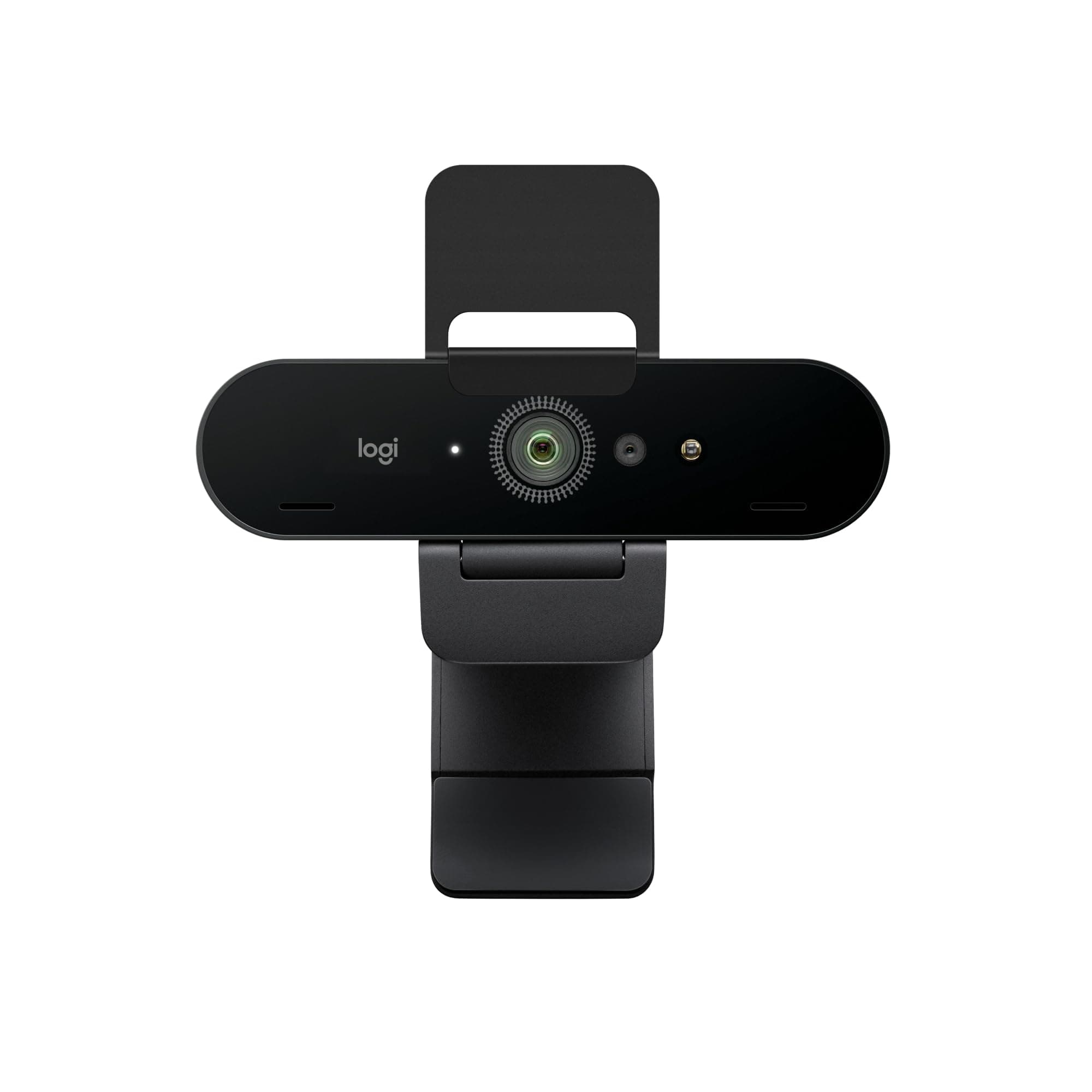
Logitech Brio 4K Webcam, Video Calling, Noise-Cancelling
Trust
96
Value
88
Quality
96
Durability
96
Buy on Amazon$170
//The full ranking

All 5, scored

  1. Logitech Brio 4K Webcam, Video Calling, Noise-Cancelling
    15
    Best Overall
    Logitech

    Logitech Brio 4K Webcam, Video Calling, Noise-Cancelling

    Scored highest across the quality dimension for versatile performance in varied lighting and use cases.

    Trust
    96
    Value
    88
    Quality
    96
    Durability
    96
    94
    Score
    $169.99
    Buy
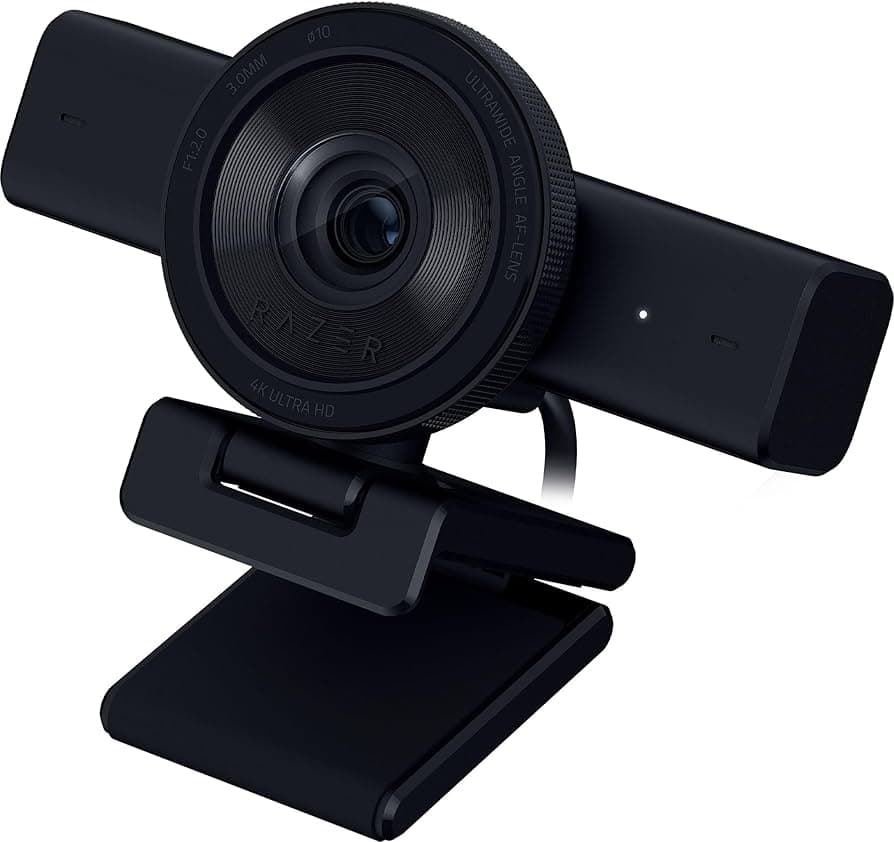
  2. Razer Kiyo V2 Streaming Webcam: 4K 30 FPS, 1080p 60 FPS
    25
    Best Budget
    Razer

    Razer Kiyo V2 Streaming Webcam: 4K 30 FPS, 1080p 60 FPS

    Value scores reflect strong buyer interest in brand ecosystem and practical auto-framing without premium PTZ pricing.
    Trust
    89
    Value
    95
    Quality
    93
    Durability
    96
    93
    Score
    $112.99
    Buy
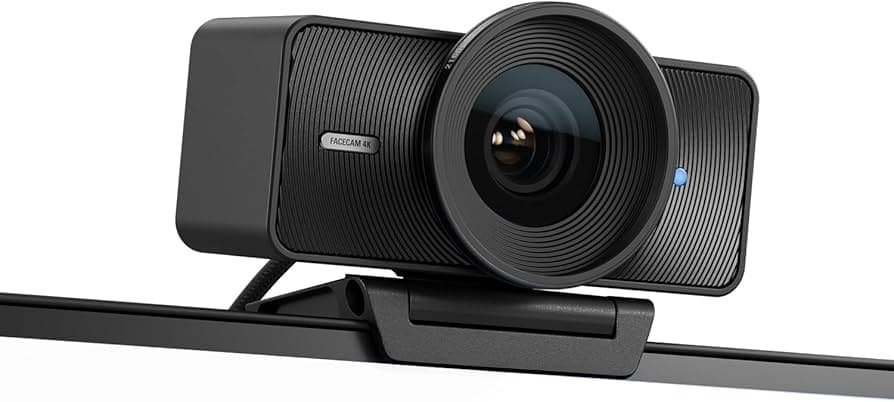
  3. Elgato Facecam 4K, 4K60 Studio Webcam, DSLR-Like Control
    35
    Elgato

    Elgato Facecam 4K, 4K60 Studio Webcam, DSLR-Like Control

    Quality dimension leads with superior image processing and build materials, while value score reflects competitive pricing below PTZ alternatives.
    Trust
    92
    Value
    87
    Quality
    92
    Durability
    96
    92
    Score
    $179.99
    Buy
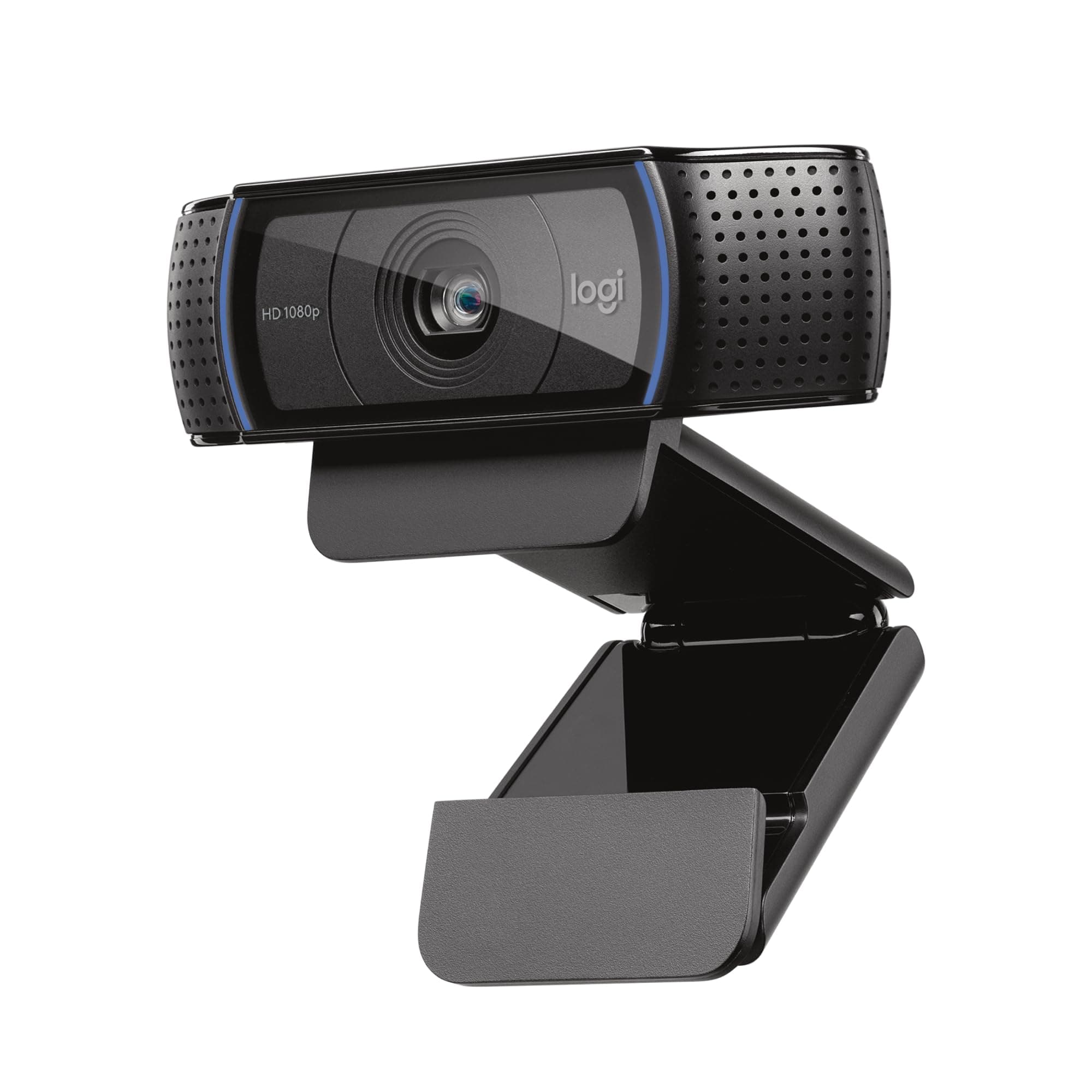
  4. Logitech C920x HD Pro PC Webcam,Full HD 1080p/30fps
    45
    Best Premium
    Logitech

    Logitech C920x HD Pro PC Webcam,Full HD 1080p/30fps

    Value dimension score reflects high verified purchase volume and performance parity with premium options for standard 1080p needs.
    Demand
    77
    Trust
    98
    Value
    74
    Quality
    95
    Durability
    95
    90
    Score
    $279.96
    Buy
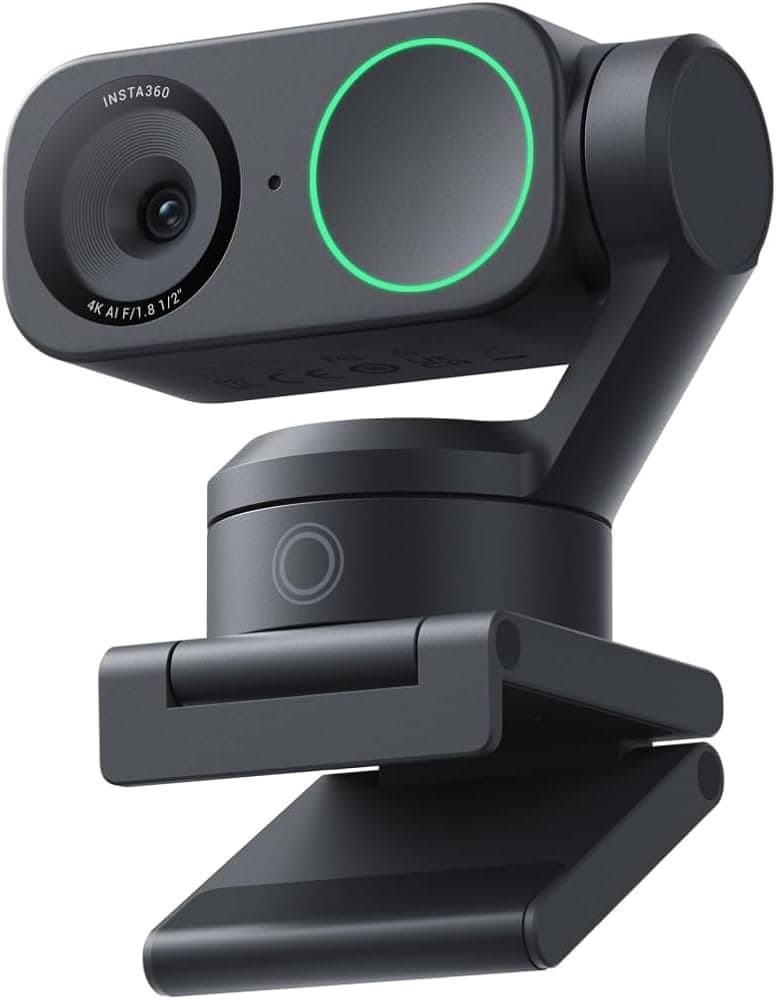
  5. Insta360 Link 2 Pro – 4K PTZ Webcam for PC/Mac, 1/1.3”
    55
    Insta360

    Insta360 Link 2 Pro – 4K PTZ Webcam for PC/Mac, 1/1.3”

    Quality and innovation scores reflect advanced AI tracking and superior low-light sensor performance for dynamic presentation needs.

    Demand
    81
    Trust
    92
    Value
    76
    Quality
    94
    Durability
    96
    90
    Score
    $249.99
    Buy
//Compare

All 5, scored across the same specs

ProductScoreMax resolutionSharpest video the sensor recordsFocusAutofocus keeps you sharp as you move; fixed-focus stays sharp only at desk distanceMicrophoneBuilt-in mic array
1
LogitechLogitech Brio 4K Webcam, Video Calling, Noise-CancellingBuy$170
94/ 1004KAutofocusStereo
2
RazerRazer Kiyo V2 Streaming Webcam: 4K 30 FPS, 1080p 60 FPSBuy$113
93/ 1004KAutofocusStereo
3
ElgatoElgato Facecam 4K, 4K60 Studio Webcam, DSLR-Like ControlBuy$180
92/ 1004KFixedNone
4
LogitechLogitech C920x HD Pro PC Webcam,Full HD 1080p/30fpsBuy$280
90/ 1001080pAutofocusStereo
5
Insta360Insta360 Link 2 Pro – 4K PTZ Webcam for PC/Mac, 1/1.3”Buy$250
90/ 1004KAutofocusStereo

People also ask

  1. How do I choose between 4K and 1080p webcams?
    Select 4K if your primary platforms support high-resolution streaming and you have sufficient upload bandwidth, typically 10+ Mbps for stable 4K30 transmission. Choose 1080p if you primarily use video conferencing apps like Zoom or Teams that compress video heavily regardless of source resolution, making the quality difference negligible. Consider that 4K files consume significantly more storage for local recordings and require more processing power for real-time encoding. For standard business calls and casual streaming, 1080p60 often provides better perceived smoothness than 4K30 at lower cost.
  2. Is it worth spending more for PTZ tracking features?
    PTZ tracking justifies its premium for educators, presenters, and content creators who move significantly during recordings or need to follow subjects across the frame without manual camera adjustments. Static callers seated at desks gain minimal benefit from motorized tracking, making the feature an expensive add-on they won't use. AI-based digital tracking offers a middle ground at lower cost but works only within the sensor's field of view and degrades image quality through cropping. Evaluate your actual movement patterns during typical sessions before paying for tracking you may never activate.
  3. Do webcam microphones eliminate the need for separate audio hardware?
    Webcam microphones handle solo video calls acceptably in quiet rooms but struggle with background noise, keyboard typing, and multiple speakers compared to dedicated USB or XLR mics. Noise-cancelling webcam mics like those in the Logitech Brio reduce ambient sound effectively but still lack the pickup range and clarity of standalone microphones positioned closer to your mouth. For professional streaming, podcasting, or noisy environments, budget $50-100 for a separate mic regardless of webcam audio specs. Webcam mics serve best as backup options when your primary audio hardware fails or for casual calls where broadcast-quality sound isn't critical.
  4. Can budget webcams really match premium models for standard calls?
    Budget webcams delivering 1080p30 perform nearly identically to premium 4K models on compressed video platforms like Zoom, Teams, and Google Meet, which downsample high-resolution feeds to conserve bandwidth. The difference emerges in low-light performance, auto-exposure accuracy, and build quality rather than raw resolution. Premium models typically include better sensors that reduce noise in dim lighting, more sophisticated auto-focus systems, and sturdier housings that last longer. If your primary use case is well-lit office calls on bandwidth-limited platforms, budget options provide 90% of the visual quality at 40% of the cost.
  5. How important is auto-framing for remote workers?
    Auto-framing benefits remote workers who shift positions frequently, lean forward to reference documents, or occasionally stand during calls, keeping them centered without manual camera adjustments. Static workers seated consistently in front of their monitors gain little from auto-framing, making it a feature that adds cost without practical value. Digital auto-framing crops the sensor's full field of view, effectively reducing resolution when active, while motorized PTZ maintains full resolution but adds mechanical complexity. Assess whether you actually move enough during typical work calls to justify the feature before prioritizing it in your purchase decision.
  6. What maintenance do webcams require for longevity?
    Clean the lens monthly with a microfiber cloth to prevent dust buildup that degrades image sharpness, avoiding household cleaners that can damage lens coatings. Keep firmware updated through manufacturer software to maintain compatibility with evolving operating systems and video platforms. Store webcams in protective cases when traveling to prevent lens scratches and mounting clip damage from bag compression. Unplug the USB cable during extended non-use periods to prevent power surges from damaging internal components. These simple practices extend typical webcam lifespans from 3-4 years to 5-7 years while maintaining consistent image quality.
  7. Are webcams with manual controls worth the learning curve?
    Manual exposure, focus, and white balance controls benefit content creators and streamers who need consistent visual output across varied lighting conditions or want to match the look of professional video production. Casual users and remote workers find auto-everything webcams more practical since conference calls don't require fine-tuned image adjustments. The learning curve for manual controls takes 2-4 hours of experimentation to understand how settings interact, plus ongoing tweaking when room lighting changes seasonally. If you value set-and-forget convenience over creative control, prioritize webcams with effective automatic adjustments rather than manual override features you won't use.
//The Method

Every rank is a composite, not an opinion.

The same five dimensions, the same weights, applied to every product in the category. The composite is recomputed whenever the data moves — typically twice a month — and the rank order updates with it.

  1. 01
    Demand

    Review velocity over the last three months. Measured on 2 of 5 picks on this page.

  2. 02
    Trust

    The 1-5 rating distribution; negative-review share; polarisation (the J-curve). Measured on 5 of 5 picks on this page.

  3. 03
    Value

    Price against the category median; measured quality per pound spent. Measured on 5 of 5 picks on this page.

  4. 04
    Quality

    The 1-5 rating distribution; review text, including the share of it that mentions a defect. Measured on 5 of 5 picks on this page.

  5. 05
    Durability

    Reviews aged three months or more, and the share of them reporting a failure. Measured on 5 of 5 picks on this page.