How-To
How to Choose a Webcam for Streaming Without Overpaying
Most streaming webcams deliver identical output on Twitch—here's how to match features to platform limits and avoid paying for specs your encoder will never use.
// KEY TAKEAWAYSWhat to know
- Twitch and most platforms cap streams at 1080p, making 4K webcams useful only for cropping flexibility or YouTube uploads.
- Autofocus and low-light sensor performance matter more than resolution for stream quality in real recording conditions.
- Entry webcams under $50 often lack reliable autofocus, while models in the $70-$150 range deliver the best value for streaming.
- Built-in microphones rarely match dedicated USB mics, so budget for separate audio if viewer retention matters.
- Frame rate choice depends on content type—60fps suits fast-motion gaming streams, while 30fps works for chatting or tutorials.
Streaming webcam prices range from under $30 to over $250 in 2026, but the image your viewers see depends less on the camera than on platform encoding limits and your lighting setup. Twitch, YouTube Live, and Facebook Gaming each compress your upload into specific bitrate and resolution caps, which means expensive features often deliver zero visible improvement once the stream reaches your audience. The challenge is identifying which specifications actually affect final output and which ones you are paying for without benefit. Understanding resolution thresholds, autofocus behavior, sensor size, and frame rate tradeoffs helps you allocate budget to features that improve viewer experience rather than spec sheets that sit unused in your OBS settings.
Match Resolution to Platform Encoding Limits
Key takeaway - Platform encoding caps make 1080p webcams identical to 4K models for live Twitch streams—pay for higher resolution only if you crop or edit VODs.
Most streaming platforms cap output at 1080p regardless of your webcam's native resolution. Twitch streams max out at 1080p for non-partners, YouTube Live supports 4K but few viewers watch at that bandwidth, and Facebook Gaming limits uploads to 1080p maximum. A 4K webcam does not produce a 4K stream on these platforms—the encoder downsamples the feed before upload. The value of higher-resolution cameras lies in cropping flexibility and post-production editing, not live output quality. If you plan to crop your facecam window or repurpose stream footage for edited YouTube videos, 4K source material gives you framing options without quality loss. For pure live streaming on Twitch or similar platforms, a 1080p webcam delivers identical viewer-side results to a 4K model once platform compression applies. Budget webcams claiming 4K for under $40 often use small sensors that produce grainy images in real conditions, so resolution specs alone do not guarantee better streams. Sensor size and lens quality determine how the camera handles indoor lighting, which affects final image sharpness more than pixel count. The best webcams we ranked balance resolution with sensor performance rather than chasing maximum pixel counts that platforms discard during encoding.
Prioritize Autofocus Speed and Low-Light Sensor Performance
Key takeaway - Phase-detection autofocus and larger sensors improve stream quality in real conditions more than resolution upgrades that platforms compress away.
Autofocus reliability matters more than resolution for streamers who move during broadcasts, hold objects on camera, or lean back from their desk. Cheaper webcams under $50 often use contrast-detection autofocus, which hunts visibly when you shift position and creates distracting blur as the lens searches for focus. Phase-detection autofocus systems lock faster and track movement smoothly, keeping your image sharp without the repeated refocus cycling that disrupts viewer attention. Low-light performance depends on sensor size and aperture width—larger sensors capture more light per pixel, reducing noise in dim rooms, while wider apertures let more light reach the sensor. Budget models typically use small sensors that amplify digital noise when lighting drops, creating grainy images even at 1080p. Webcams in the $70-$150 range often include larger sensors and apertures around f/2.0 or wider, which handle typical bedroom or office lighting without requiring additional ring lights or soft boxes. If your streaming space lacks bright overhead lighting or relies on a single desk lamp, investing in better low-light capability produces more visible improvement than adding resolution. Autofocus and sensor quality are harder to compare from spec sheets alone—verified review volume and buyer feedback on specific lighting conditions provide better signals than manufacturer claims about megapixels or advertised ISO ranges.
Decide Between 30fps and 60fps Based on Content Type
Key takeaway - Choose 60fps only if your streams feature fast motion or reactive gameplay—chat and tutorial content show no viewer-facing benefit from higher frame rates.
Frame rate choice depends on how much motion appears in your facecam window during streams. Gaming streamers playing fast-paced FPS titles or action games benefit from 60fps facecam footage, which reduces motion blur when you react quickly or gesture during intense moments. Chat streams, tutorial content, and slower-paced games see minimal benefit from higher frame rates because your face moves less dramatically, making 30fps sufficient for smooth viewer experience. Cameras that support 1080p at 60fps typically cost more than 30fps-only models, so the premium makes sense only if your content style includes frequent motion. Some webcams offer 720p at 60fps as a middle option, trading resolution for frame rate—this works well for Twitch streams where the facecam occupies a small corner of the screen and motion smoothness matters more than pixel density. Platform bitrate limits also affect frame rate value: streaming 1080p60 requires higher upload bandwidth than 1080p30, and viewers on slower connections may see stuttering if your bitrate pushes their download capacity. Most streamers find 30fps adequate unless they specifically create content where facecam motion is a key element. Testing both frame rates during off-stream recording sessions helps identify whether the smoothness gain justifies the cost and bandwidth increase for your particular setup and content mix.
Understand Built-In Microphone Limitations
Key takeaway - Built-in webcam mics rarely match dedicated USB microphones—plan audio and video budgets separately to avoid paying for features you will disable.
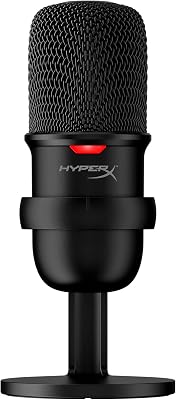
Nearly all webcams include built-in microphones, but these rarely deliver audio quality that matches dedicated USB microphones for streaming. Webcam mics sit far from your mouth compared to a desk-mounted or boom-arm mic, which reduces voice clarity and picks up more keyboard noise, mouse clicks, and room echo. Budget webcams under $50 often use single omnidirectional mics that capture sound equally from all directions, amplifying background noise alongside your voice. Mid-range models sometimes include dual microphones with basic noise reduction, which helps but still cannot match the focused pickup pattern and signal processing of a standalone streaming microphone. If you already own or plan to buy a USB microphone, the webcam's audio capability becomes irrelevant—you will disable it in your streaming software and route the dedicated mic instead. Viewers tolerate lower video quality more readily than poor audio, so allocating budget toward a separate microphone often improves perceived stream quality more than upgrading from a $70 webcam to a $150 model. The best USB microphones for streaming we ranked consistently outperform built-in webcam audio even at entry price points. Planning your audio and video budgets separately prevents overpaying for webcam features you will disable once a better microphone arrives.
Identify the Value Threshold Between Budget and Premium Tiers
Key takeaway - The $70-$150 price range delivers the best feature-to-cost ratio for streaming—higher tiers add features that rarely improve live output quality.
Webcam pricing follows a clear tier structure in 2026: under $50 models often lack reliable autofocus and use small sensors, $70-$150 cameras deliver the strongest feature-to-price ratio for most streamers, and above $200 you pay for AI tracking, motorized gimbals, or brand premiums that provide minimal stream quality improvement. The $70-$150 range typically includes 1080p resolution, phase-detection autofocus, decent low-light performance, and compatibility with standard streaming software without requiring proprietary apps. Models above $150 add features like 4K resolution, AI-powered framing that follows your movement, or wider field-of-view lenses—useful for specific content styles but unnecessary for standard desk-based streaming. Cameras under $50 compromise on autofocus speed and sensor quality, which creates more visible problems during streams than missing 4K or AI features. Verified review volume signals in this category show the highest satisfaction scores cluster in the $70-$120 range, where buyers report reliable performance without paying for advanced features their streaming setup never uses. If your budget allows only one upgrade, moving from a laptop's built-in camera to any dedicated $70 webcam produces more noticeable improvement than jumping from a $100 model to a $250 one. The second upgrade delivers diminishing returns unless you specifically need the premium features for non-streaming uses like professional video calls or content creation that benefits from AI tracking.
The takeaway
Choosing a webcam for streaming without overpaying requires matching features to platform limits rather than chasing maximum specifications. Resolution matters less than sensor performance and autofocus reliability for live streams, frame rate choice depends on your content type, and built-in microphones rarely justify skipping a dedicated USB mic. The strongest value sits in the $70-$150 range, where cameras deliver reliable autofocus and decent low-light handling without premium features that platforms compress away during encoding. Testing your lighting conditions and content style before buying helps identify which specifications actually improve viewer experience versus which ones inflate price without affecting final output. For streamers building a complete setup, allocating budget across camera, microphone, and lighting produces better results than concentrating spend on a single premium webcam that cannot overcome poor audio or dim room conditions.
The best webcams we ranked
Read the ranking →// FREQUENTLY ASKEDQuick answers
- Do I need a 4K webcam for streaming on Twitch?
- No. Twitch caps streams at 1080p for most users, so a 4K webcam provides no quality benefit for live output. The only advantage is cropping flexibility if you edit VODs for YouTube or need to zoom your facecam window without quality loss. For pure Twitch streaming, a 1080p camera delivers identical viewer-side results once platform compression applies.
- How much should I spend on a streaming webcam?
- Most streamers find the best value between $70 and $150. This range includes reliable autofocus, decent low-light performance, and 1080p resolution without paying for AI tracking or 4K features that platforms compress away. Cameras under $50 often compromise on autofocus speed and sensor quality, while models above $200 add features that rarely improve live stream output for typical desk setups.
- Is 60fps better than 30fps for streaming?
- It depends on your content. Fast-motion gaming streams benefit from 60fps because it reduces blur during quick reactions or gestures. Chat streams, tutorials, and slower-paced content show minimal benefit from higher frame rates, making 30fps sufficient. The 60fps premium makes sense only if your facecam captures frequent motion that viewers notice.
- Can I use the built-in webcam microphone for streaming?
- You can, but dedicated USB microphones deliver better audio quality for viewer retention. Webcam mics sit far from your mouth, pick up keyboard and mouse noise, and lack the focused pickup pattern of standalone microphones. Viewers tolerate lower video quality more readily than poor audio, so a separate mic often improves perceived stream quality more than a webcam upgrade.
- What webcam features matter most for low-light streaming?
- Sensor size and aperture width determine low-light performance more than resolution. Larger sensors capture more light per pixel, reducing noise in dim rooms, while wider apertures around f/2.0 or lower let more light reach the sensor. Phase-detection autofocus also helps because it locks focus faster in challenging lighting conditions than cheaper contrast-detection systems that hunt visibly.
- Does autofocus really matter for streaming?
- Yes, if you move during streams or shift position at your desk. Cheaper webcams use contrast-detection autofocus that hunts visibly when you lean back or hold objects on camera, creating distracting blur. Phase-detection autofocus locks faster and tracks movement smoothly, keeping your image sharp without repeated refocus cycling that disrupts viewer attention.
- Are expensive webcams worth it for beginner streamers?
- Rarely. The jump from a laptop camera to any $70 dedicated webcam produces more visible improvement than upgrading from $100 to $250. Premium models add AI tracking, 4K resolution, and motorized gimbals that provide minimal benefit for standard desk streaming. Beginners see better results allocating budget across webcam, microphone, and lighting rather than concentrating spend on a single expensive camera.
- How does platform bitrate affect webcam choice?
- Platform bitrate limits compress your stream regardless of webcam quality. Twitch, YouTube, and Facebook apply specific encoding caps that discard detail beyond certain thresholds, making ultra-premium webcams deliver identical output to mid-range models once compression applies. Matching your webcam resolution and frame rate to platform limits prevents paying for features viewers never see.