How-To
How to Choose USB Microphones for Podcasting Without Overpaying
The jump from a $60 USB microphone to a $280 model delivers smaller gains than most podcasters expect—if you know which features to prioritize.
// KEY TAKEAWAYSWhat to know
- Most podcasters can get professional-sounding results in the $50 to $150 range, with USB-XLR hybrid support and headphone monitoring appearing between $75 and $150.
- The jump from a $50 microphone to a $150 microphone is dramatic, but from $150 to $300 the improvement is noticeable but smaller, and above $300 differences become subtle.
- Cardioid polar patterns are the right choice for almost all podcasting because they capture your voice while rejecting room noise from the sides and rear.
- Dynamic microphones are the smartest choice for home podcasters because they reject room noise far better than condenser mics in untreated spaces and cost less.
- Most people do not need to spend more than $100 on their podcasting equipment if recording solo or online conversations where a USB mic will suit you.
Between $70 and $400 covers the right microphone for the vast majority of podcasters. The challenge is not finding a good USB microphone in 2026—dozens of models deliver broadcast-quality sound—but avoiding the trap of paying for features your recording environment cannot exploit. The jump from a $50 microphone to a $150 microphone is dramatic, but from $150 to $300 the improvement is noticeable but smaller. The difference between models at the same price tier often comes down to build quality, connectivity options, and onboard controls rather than pure audio performance. Understanding which features deliver value for your specific setup and which are marketing noise is how you choose a USB microphone for podcasting without overpaying.
Step 1: Match the Microphone Type to Your Recording Space
Key takeaway - Dynamic microphones reject room noise far better than condensers in untreated spaces, making them the smarter choice for home podcasters regardless of price.
Dynamic versus condenser is the most important call for podcasting-specific microphones. Dynamic mics with cardioid polar patterns are usually the smartest choice for home podcasters because they reject room noise far better than condenser mics in untreated spaces. If you record in a bedroom, home office, or any room without acoustic treatment, a dynamic microphone will deliver cleaner audio by ignoring keyboard noise, HVAC hum, and street sounds. Condenser mics are more sensitive and delicate than dynamic ones and can capture high-frequency sounds and produce crisp audio recordings. But that sensitivity becomes a liability in noisy environments where every laptop fan and passing car ends up in your recording. Compared to a condenser mic, a dynamic microphone does not require an external power source, plus it is more durable, making it the affordable starter podcasting microphone choice. Condenser microphones make sense only if you have a treated space and need to capture subtle vocal nuances for scripted narrative work. For conversational podcasts recorded at home, dynamic microphones cost less and perform better.
Step 2: Identify the Price Tier Where Quality Plateaus
Key takeaway - Diminishing returns kick in hard above $150, with the best value for most podcasters landing between $70 and $150 where dynamic USB microphones deliver near-flagship sound quality.
The jump from a $50 microphone to a $150 microphone is dramatic, from $150 to $300 the improvement is noticeable but smaller, and above $300 differences become subtle and increasingly dependent on your voice, recording environment, and processing. Budget mics like the Samson Q2U at $69 deliver professional-sounding results for solo or two-host shows. Most new podcasters can get a strong microphone in the $50 to $150 range, with better build quality, USB-XLR support, headphone monitoring, and cleaner vocal tone appearing between $75 and $150. The Shure MV7+ or the Rode Procaster will give you top-of-the-range sound quality, but you will pay anywhere between $150 and $280 for the privilege. That price jump buys hybrid connectivity, onboard DSP, and metal construction, not a transformation in audio quality. Nobody wants to spend more than they need on podcast equipment, so make sure you are not getting something overkill for your podcasting requirements, and if you are spending more than $300 on your gear make sure you have got a very good reason for it. The best value sits in the $70 to $150 range where dynamic USB microphones deliver 90 percent of the sound quality of flagship models at one-third the cost.
Step 3: Prioritize Cardioid Polar Patterns Over Multi-Pattern Flexibility
Key takeaway - Single-pattern cardioid microphones outperform multi-pattern models in the same price bracket for podcasting because they optimize for the one pickup pattern you will actually use.
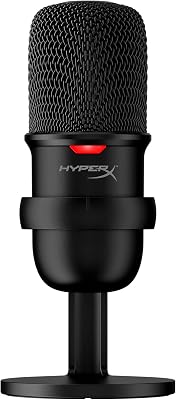
The best polar pattern for a classic podcast is cardioid, which captures your voice while rejecting room noise from the sides and rear. The most common microphone polar pattern for podcasters is cardioid, and there are few situations where cardioid mics would be unsuitable—they are ideal for recording solo monologue podcasts or running online interviews. Some USB microphones offer switchable polar patterns with omnidirectional, bidirectional, and stereo modes, and manufacturers position this as versatility. A few USB microphones offer switchable polar patterns—the Blue Yeti four-pattern USB condenser and the HyperX QuadCast S multi-pattern gaming condenser both include cardioid, omnidirectional, bidirectional, and stereo from a single mic body, handling podcasting, roundtable recording, interviews, and ASMR with no need to buy four separate microphones. The cost is less obvious: multi-capsule mics are physically larger because they house three capsule elements in a triangular arrangement, are heavier, which limits boom arm compatibility. For podcasting, a dedicated cardioid dynamic microphone will outperform a multi-pattern condenser in the same price bracket because it optimizes for the one pattern you will actually use. Save money by choosing single-pattern cardioid microphones unless you genuinely record roundtable conversations in the same room on a weekly basis.
Step 4: Decide Whether USB-XLR Hybrid Connectivity Justifies the Premium
Key takeaway - USB-XLR hybrid connectivity adds $20 to $40 to the price and pays for itself only if you plan to upgrade to an audio interface or multi-mic setup within 12 months.
Between $75 and $150 you can find better build quality, USB-XLR support, headphone monitoring, and cleaner vocal tone. Hybrid microphones with both USB and XLR outputs let you start with a simple USB connection to your computer and later upgrade to an audio interface without replacing the microphone. The ATR2100x-USB updates the quality and now uses USB-C, performs well above its price point, has both USB and XLR connections, and is small enough to travel with if needed. The Maono PD200X is a dynamic hybrid USB-C-XLR mic with a cardioid polar pattern, a gain knob, and a headphone monitoring jack—features that usually cost $30 to $50 more from the name brands—and at $69 it is the best pure value dynamic option. The USB-XLR hybrid feature adds $20 to $40 to the base price of a microphone, and whether that premium makes sense depends on your upgrade timeline. If you plan to add multiple microphones, mixers, or professional interfaces within 12 months, hybrid connectivity pays for itself. If you are recording solo podcast episodes for the foreseeable future and have no plans to expand your setup, a USB-only dynamic microphone delivers the same audio quality for less money. The best USB microphones for streaming covers hybrid models ranked by value if your workflow might evolve toward multi-mic setups or video streaming.
Step 5: Evaluate Onboard Controls and DSP Against Software Alternatives
Key takeaway - Onboard gain controls and DSP add $50 to $100 to the price and deliver value for live streamers, but duplicate features already available in free editing software for podcasters who edit episodes.
Many podcast microphones include features like built-in shock mounting, pop filtering, and headphone monitoring that benefit podcast workflows. Key features to look for in podcast microphones include cardioid polar patterns, USB-C or XLR connectivity, and built-in pop filters. Flagship USB microphones add onboard gain knobs, mute buttons, and digital signal processing that apply noise reduction and EQ before the signal reaches your computer. Many mics now include hardware mute buttons—the Samson Q9U and MV7+ feature them—which are super handy for cutting coughs instantly without touching software. The Rode NT-USB+ takes USB microphones seriously, packing professional features into a plug-and-play package, and unlike most USB mics this condenser model includes built-in APHEX audio processing and a high-quality preamp. Those onboard controls add $50 to $100 to the microphone price, and the question is whether physical knobs justify the cost when free recording software like Audacity or GarageBand offers identical EQ and noise reduction in post-production. For podcasters who edit every episode anyway, spending extra for onboard DSP duplicates capability you already own. For live streamers or podcasters who publish episodes with minimal editing, hardware controls deliver convenience worth paying for. The best microphones ranked by category includes options optimized for both workflows.
Step 6: Budget for Accessories That Matter More Than Microphone Upgrades
Key takeaway - A $20 boom arm and $10 pop filter improve audio quality more than upgrading from a $100 microphone to a $200 model, making accessories the smarter budget priority.
Do not overlook accessories: a pop filter, boom arm, and stable USB cable or XLR cable matter more than jumping to a higher-priced microphone. A basic mic boom arm for $20 to $30 positions the mic 2 to 4 inches from your mouth where it belongs, reduces desk vibration compared to a stand, and keeps your workspace clear. Most USB mics come with desk stands so you can get set up to record right out of the box. But those included stands place the microphone too far from your mouth and pick up every desk bump and keyboard click. Most podcast microphones mentioned will be optimal when mounted on a stand or boom arm, with boom arms offering the most flexible and professional-looking setups for mic mounting and podcast presentation. A $20 boom arm and a $10 pop filter improve audio quality more than upgrading from a $100 microphone to a $200 model. If you want to buy a decent set of studio-quality headphones you would be talking $30 to $40 at least. The total accessory budget should be $50 to $80 regardless of which microphone you choose, and that investment delivers clearer audio and more consistent levels than any microphone upgrade. Allocate your budget to accessories first and then choose the best microphone that fits the remaining amount rather than buying a flagship microphone and recording it on a desk stand with no pop filter.
The takeaway
Most people do not need to spend more than $100 on their podcasting equipment if recording solo or online conversations where a USB mic will suit you. The path to not overpaying on a USB microphone for podcasting starts with matching the microphone type to your recording space—dynamic for untreated rooms, condenser only for acoustically controlled environments. Spending more can help, but your room setup and recording technique will still have a major impact on the final sound, and the best affordable podcast microphone in 2026 is the one that fits your recording style, space, and workflow—not just the one with the highest specs. The $70 to $150 price bracket delivers the best value where dynamic USB microphones with cardioid polar patterns, hybrid USB-XLR connectivity, and basic onboard controls give you professional-sounding results without flagship pricing. The best USB microphones for streaming ranks options across every price tier by real review volume and buyer-signal data, funneling you to models that deliver measurable value rather than marketing promises.
The best USB microphones for streaming
Read the ranking →// FREQUENTLY ASKEDQuick answers
- How much should I spend on a USB microphone for podcasting?
- Between $70 and $400 covers the right microphone for the vast majority of podcasters. The jump from a $50 microphone to a $150 microphone is dramatic, but from $150 to $300 the improvement is noticeable but smaller. The best value sits between $70 and $150 where dynamic USB microphones deliver near-flagship sound quality. If you are recording solo podcast episodes in an untreated room, spending more than $150 yields diminishing returns unless you need specific features like onboard DSP or premium build quality for travel durability.
- Is a dynamic or condenser microphone better for podcasting at home?
- Dynamic mics with cardioid polar patterns are usually the smartest choice for home podcasters because they reject room noise far better than condenser mics in untreated spaces. Condenser mics are more sensitive and delicate than dynamic ones and can capture high-frequency sounds and produce crisp audio recordings. But that sensitivity becomes a liability in noisy home environments where every laptop fan and passing car ends up in your recording. Dynamic microphones cost less, require no external power, and perform better in typical home recording spaces.
- Do I need a microphone with multiple polar patterns for podcasting?
- The best polar pattern for a classic podcast is cardioid, which captures your voice while rejecting room noise from the sides and rear. The most common microphone polar pattern for podcasters is cardioid, and there are few situations where cardioid mics would be unsuitable. Multi-pattern microphones that offer omnidirectional, bidirectional, and stereo modes add cost, size, and weight without delivering value for standard podcasting. A dedicated cardioid dynamic microphone will outperform a multi-pattern condenser in the same price bracket because it optimizes for the one pattern you will actually use.
- Is USB-XLR hybrid connectivity worth the extra cost?
- Between $75 and $150 you can find better build quality, USB-XLR support, headphone monitoring, and cleaner vocal tone. Hybrid connectivity adds $20 to $40 to the microphone price and makes sense if you plan to upgrade to an audio interface or add multiple microphones within 12 months. If you are recording solo podcast episodes with no plans to expand your setup, a USB-only dynamic microphone delivers the same audio quality for less money. The XLR output future-proofs your investment only if your workflow is genuinely evolving toward multi-mic or professional studio setups.
- What accessories should I buy with a USB podcast microphone?
- Do not overlook accessories: a pop filter, boom arm, and stable USB cable or XLR cable matter more than jumping to a higher-priced microphone. A basic mic boom arm for $20 to $30 positions the mic 2 to 4 inches from your mouth where it belongs, reduces desk vibration compared to a stand, and keeps your workspace clear. Add a $10 pop filter to reduce plosive sounds and a $30 to $40 set of closed-back headphones for monitoring. That $50 to $80 accessory budget improves audio quality more than upgrading from a $100 microphone to a $200 model.
- Do expensive USB microphones sound better than budget models?
- The jump from a $50 microphone to a $150 microphone is dramatic, from $150 to $300 the improvement is noticeable but smaller, and above $300 differences become subtle and increasingly dependent on your voice, recording environment, and processing. Budget mics like the Samson Q2U at $69 deliver professional-sounding results for solo or two-host shows. Expensive microphones often add build quality, onboard controls, and hybrid connectivity rather than transformational audio performance. For podcasting in untreated home spaces, the difference between a $100 dynamic microphone and a $280 flagship model is smaller than the difference proper mic placement and room treatment deliver.
- Should I buy a USB microphone with onboard gain controls and DSP?
- Many mics now include hardware mute buttons—the Samson Q9U and MV7+ feature them—which are super handy for cutting coughs instantly without touching software. The Rode NT-USB+ includes built-in APHEX audio processing and a high-quality preamp unlike most USB mics. Onboard controls and DSP add $50 to $100 to the microphone price and deliver value for live streamers or podcasters who publish with minimal editing. For podcasters who edit every episode anyway, free software like Audacity offers identical EQ and noise reduction, making hardware DSP a duplicated expense.
- How much does a complete USB podcast setup cost?
- Most people do not need to spend more than $100 on their podcasting equipment if recording solo or online conversations where a USB mic will suit you. A digital recorder setup can cost $100 bare basics to $300-plus, and running a couple of XLR mics into your computer via a USB audio interface will cost around $300. A complete USB podcast setup with a $70 to $100 dynamic microphone, $20 to $30 boom arm, $10 pop filter, and $30 to $40 headphones totals $130 to $180. That budget delivers professional-sounding results for solo podcasters recording in untreated home spaces without overpaying for features your workflow cannot exploit.
- Can I use a USB microphone for both podcasting and streaming?
- Yes, USB microphones work for both podcasting and streaming, and dynamic models with cardioid polar patterns handle both use cases without compromise. The main difference is that streaming benefits more from hardware mute buttons and onboard gain controls for real-time adjustments, while podcasting allows post-production editing that reduces the need for onboard DSP. If you plan to do both, prioritize a dynamic USB microphone in the $100 to $150 range with a hardware mute button and headphone monitoring jack, which gives you flexibility for live streaming and clean recordings for edited podcast episodes.